While I will probably use this site for personal or off-topic posts in the future, if you are interested in my work you should head to voxelquest.com. The Voxel Quest website has been updated more frequently - as of this writing the last update was May 1st 2014 and there is probably going to be another update in late July or early August 2014.
 Head over to VoxelQuest.com for the first sneak peak (it will be live in about an hour)!
First of all, I am happy to introduce my new investor: Tristan van Essen, who is making all of this possible. He is a great guy, and I'm not just saying that because he is giving me money. :) It takes either a very smart person or an insane person to see potential in my work, so I'm glad that Tristan is both. ;) I hope that I can reward his good faith with success for both of us. So I am working on Voxel Quest full time now, which means this website will definitely be seeing a lot more updates. That said, a screenshot: 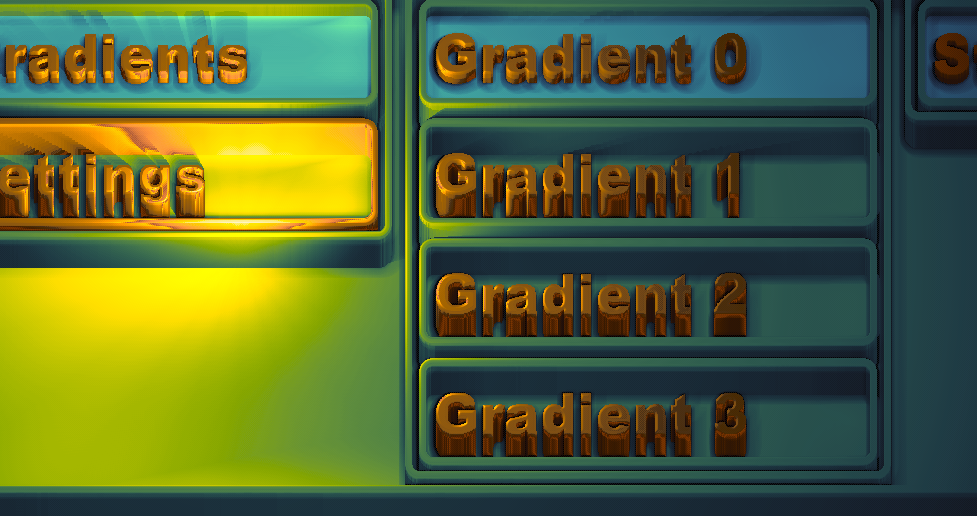 And another: 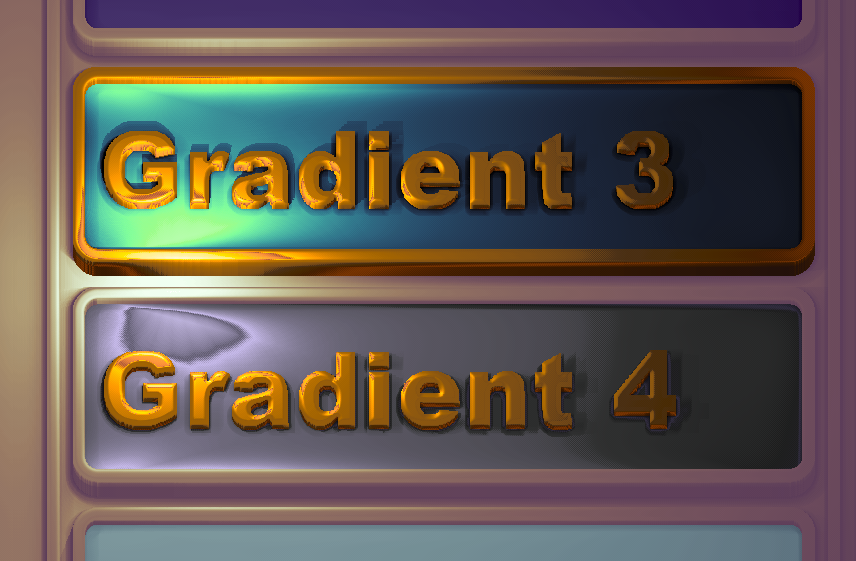 And a video (sorry its a bit choppy, I had to capture in software this time vs using a hardware recorder): I have put a lot of work into the GUI (probably too much), but thankfully I am done with it although I will add in features here and there as I have time (namely, make it more user-friendly). However, building out the GUI has allowed me to rapidly implement many other things that will be used in the engine such as fast AO, materials, shadows, and so forth. It's nice to be able to preview exactly how materials will look within the editor itself. I did some major overhauls on the performance side of things, and it performs quite well even on the Intel 4000 chip pictured here (as noted, the video is a software capture; normally it is much more smooth). I am relieved this worked out well because there is a lot of dynamic updating going on for mesh and buffer data. Aside from that, it is not resource intensive at all since it only updates when you move the mouse or click a button (and only uses 40 mb of texture memory, which could be far less if optimized). The GUI is extremely flexible, much more so than what is demoed here. It can support any layout, and the layouts are liquid/fluid/elastic/choose your term -- meaning that I just drop in components and it autosizes them correctly and intelligently. It will even minimize container widths and heights to their smallest children, meaning you don't have to tweak column widths to see everything at once -- it all just fits. You can additionally take any JSON data and it will build a GUI for you to edit it -- which is what's being done here. Not only that, but it can spit back out an updated JSON across a websocket or to a file, which means real-time editing of any of your game data (as I mentioned, my editor hooks up to a C++ server that hosts the game, or can be directly embedded in the game). One needed improvement is nesting the data more to take up vertical space - every node opens up a new horizontal container right now. One thing that you may have noticed is the color, which is more vivid than your typical game engine (IMO). It uses the LAB color space. You are probably familiar with the RGB (Red, Green, Blue) and HSL (Hue, Saturation, Luminance) color spaces already. The LAB color space (and its variants) are generally considered to be the most perceptually uniform color spaces. Picking out a single color, this really makes little difference. The LAB color space really shines on interpolation. If you want to blend color A to color B using RGB, it will often turn grey between the two. LAB avoids this by keeping saturation and lightness more or less constant between two points, at least perceptually speaking. If you want to learn more about this, here is a good link. The easiest way to understand the difference between the two is probably a visual comparison of their linear spaces. Take a look at a LAB color ramp (top, mirrored) vs a HSL ramp (bottom): 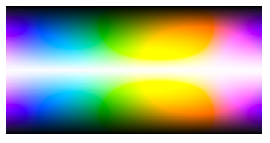 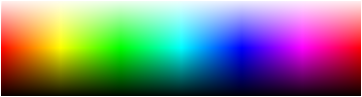 Doing LAB interpolations in realtime would be way too expensive. So I precompute it. I use gradients to build a lighting ramp, which might seem like a naive approach but in my experience it is far superior to tweaking things like specular, ambient, and diffuse lighting. Even to experts, the mind cannot fully grasp how such colors are added together to form the result. A gradient is great because you know exactly how each color is going to act. If this lighting is too simplistic you can always add additional rules. It produces far from realistic lighting, but I am much more interested in style than I am realism. All of the chrome-ish textures you see above are achieved solely with gradient lighting - no reflection maps (although I will probably use reflection maps eventually since they provide better looking results).
Eventually I may use this GUI to power the Voxel Quest website (since it runs in a browser, obviously), but its other uses are:
Now that I'm finally done with this aspect (at least, past the worst of it) I am going to focus on getting the interesting stuff going for Voxel Quest, namely finishing up the terrain generation. First, obligatory screenshot: 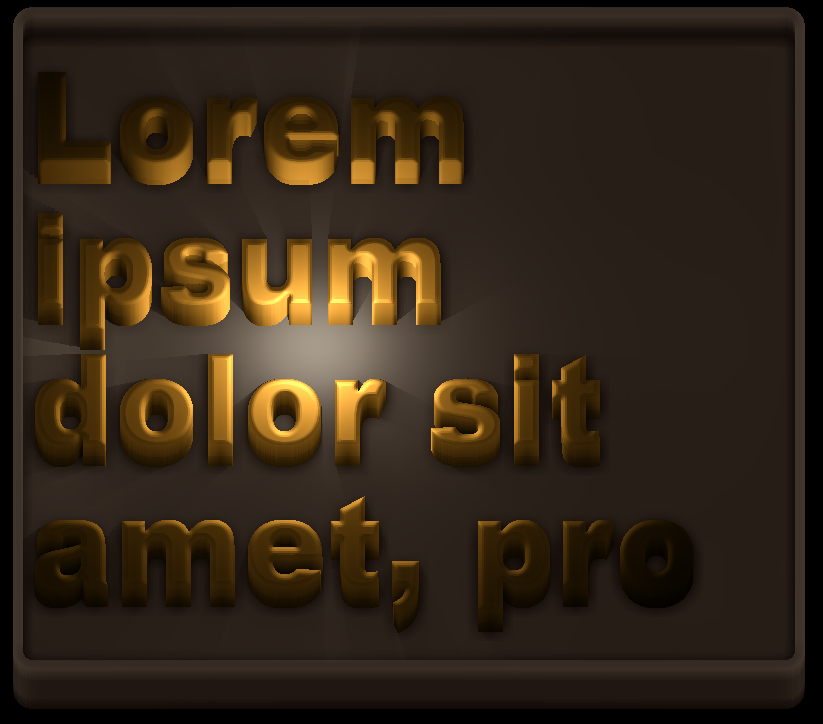 And a video: This is a quick rundown on the text rendering and layout of my engine. The above demo is running on an Intel 4000 chip (a relatively weak, nondiscrete GPU) and never drops below 60 fps after initial startup / loading lag. My engine runs in two parts - one is javascript/WebGL, and the other is C++/OpenGL. These two parts communicate via TCP/Websocket. This probably seems like more work than it is worth, but I have found it to be invaluable. Javascript is good, but is not a silver bullet and there is a good reason the majority of games are still written in C++. However, javascript does allow me to handle all of that high-level, non-performance-critical stuff much more easily than C++. It has other advantages like instant code changes via console scripting or page refresh. It also makes modding the engine really easy for other people -- no need to mess with compilers, just change some .js files. The javascript side handles mostly the interface type stuff, both in game (like inventory/stat screens) and the tools used to modify the game environment. It might seem like it would bog down a system to run two OGL instances at once, but actually I coded it such that the browser halts rendering when you mouse out of it, or unless it gets an update message. But even with that said my real intention was to be able to run the browser portion on any device (i.e. a tablet -- there are already tablets that can run WebGL, some much better than others), and free up the rest of the system to render the game environment. There is no theoretical limit to the number of clients, so in theory you could run the editor across many computers/devices at once (synching is very easy, just broadcast messages). Because the browser side is used to modify many of the resources like materials and shaders, it is best to be able to preview that stuff in the same screen. It might seem a bit crazy to create a text renderer from scratch in a web browser, but I wanted it to look good an be responsive. Right now it still needs optimization (just in one area mostly, the ambient occlusion). Why voxels, why not polygons? After all, three.js has a built-in example for polygon text. Well, polygon text does not scale very well - after a few hundred characters your system will not respond well...its also a lot of geometry to handle. My text is just a single quad for each letter, with some shader magic (although it does do a real rendering of volumetric data, nothing is "faked"). It does not matter how many characters you have on the screen, the only thing that effects performance is the size of the buffer the text is rendered to. It does not use any dirty tricks like rendering to a canvas, this text is all laid out in code with bitmap fonts (surprisingly fast, although like I said the AO shader is causing some lag right now). There is of course some sacrifice between "looking cool" and legibility but the engine is flexible and can render fonts in pretty much any style, even plain looking text. It supports all fonts, left/center/right alignment, text wrapping (with word breaking for continuations), any font size or scale, different styles of beveling, per-letter materials, etc. It also uses ray-cast shadows. The text is genuinely 3D, although many optimization tricks are used in light of the orthographic, fixed perspective (I figure most users wont care to rotate the text around). This is actually the harder part of creating the GUI for my game, the layout is fairly easy (in fact I already wrote a layout engine a year ago in javascript for a canvas-based GUI, in less than a day). It will support most layout paradigms you are used to (like creating an html page basically, but in JSON). The other benefit is that this look meshes seamlessly with the rest of the game (note this is not at all the final look of the interface, just a test run). I think that it might look really good when I introduce some volumetric materials in (cobblestone, wood, brass, etc). From a technical standpoint, this is how the engine works:
Anyway, I am traveling to Germany and Switzerland in a few hours, so I may not be able to answer questions right away. I will write more when I get time. :) One last screenshot, just messing around with the voxels and using a sin wav on the background height: 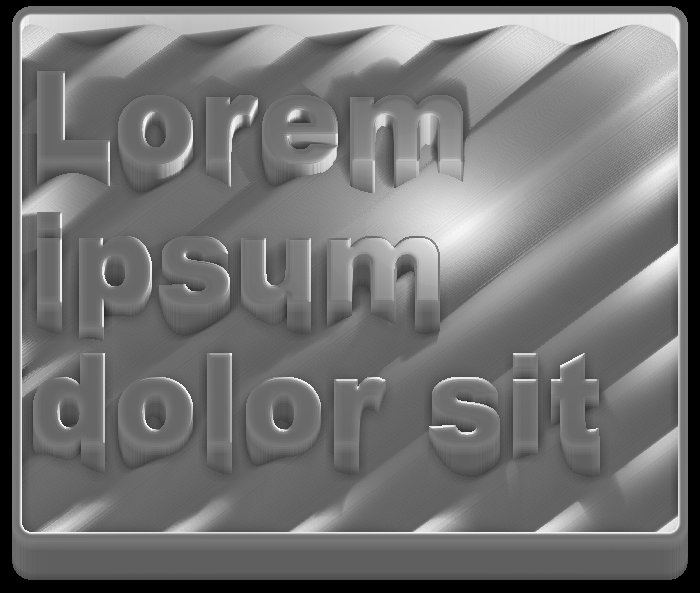 As of (roughly) today, I am now working fulltime on VoxelQuest (prior, I had almost no time due to a job that often required +80/hours a week). Expect updates more than once a year now! :)
 The Voxel Quest website is slowly coming to life, give it a look. I have posted a fair amount of info about the game in the "about" section. I have also attached a screenshot of the current hex layout and perspective below: 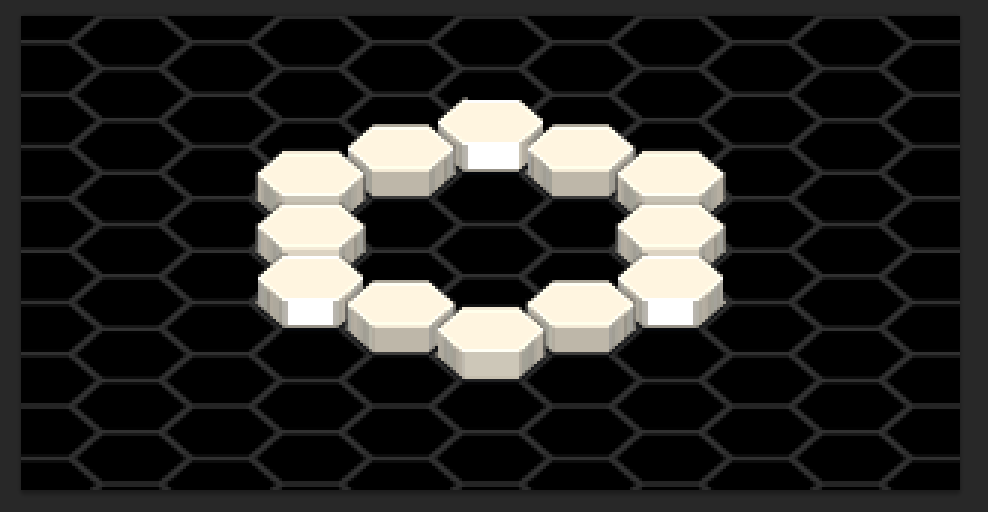 I've updated my site a little bit with a screenshots and videos section, containing most of my (game-related) work over the past decade from various projects and clients. I've added some screenshots from my engine from a few months ago. I have added in isometric rendering and now all generation is done on the GPU, meaning it goes way faster (can generate billions of voxels in a few seconds) -- screenshot below. Also, I'm building up a site for my new game, appropriately called Voxel Quest. More details to come when I get a break from work! Not the "really cool" update I was hoping to provide (which is not really that cool, just some stuff I was hoping to get out for the new terrain engine). 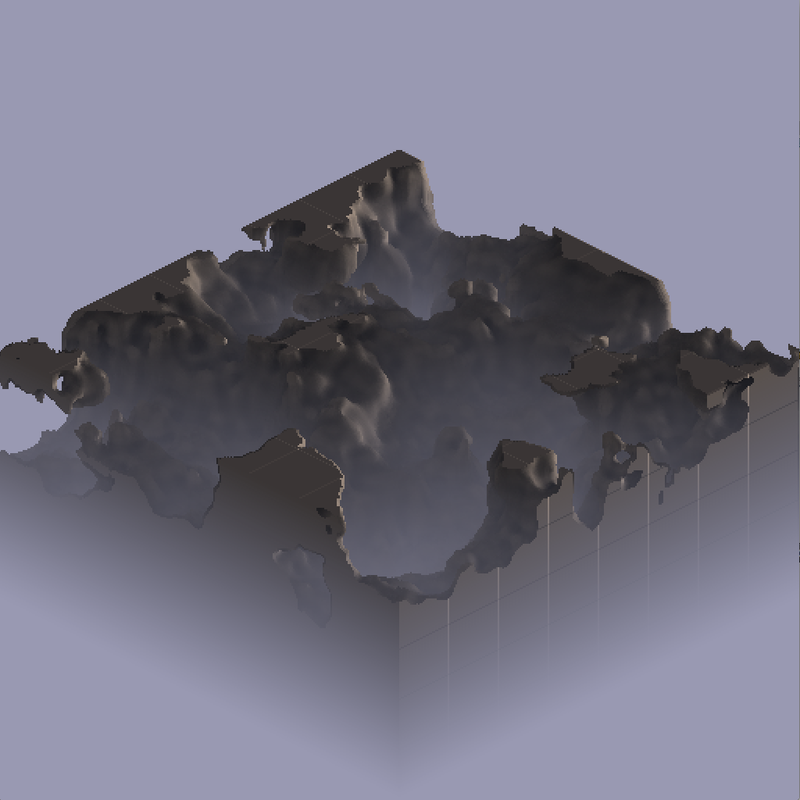 That's all I'll say for now. :D
Just a quick update, I know I have not posted for a while - I have been pretty hammered at my "day job" but I am continuing to work on the engine as I get time - right now it is a lot of "non-visual" progress, as in backend, resource management, saving/loading data, and UI layout.
Added in some volumetric water. The water is not simply a plane (as is typical in many games) - it consists of a full set of voxels (you can kind of see this in the cutaway view shown below). Right now, the water is also shaded differently based on how close it is to an object, but I want to make it a bit more dramatic. I also need to add some depth to the water so that it is more occluded as it gets deeper. Additionally, I want to add refraction and probably animated waves - so as you can tell, this is still far from complete. 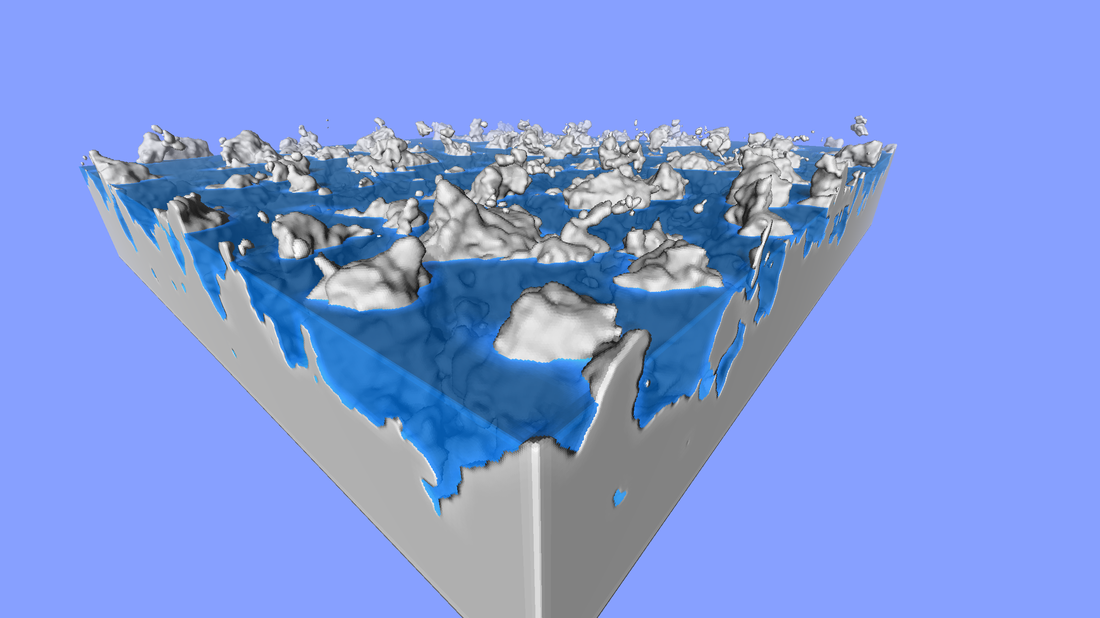 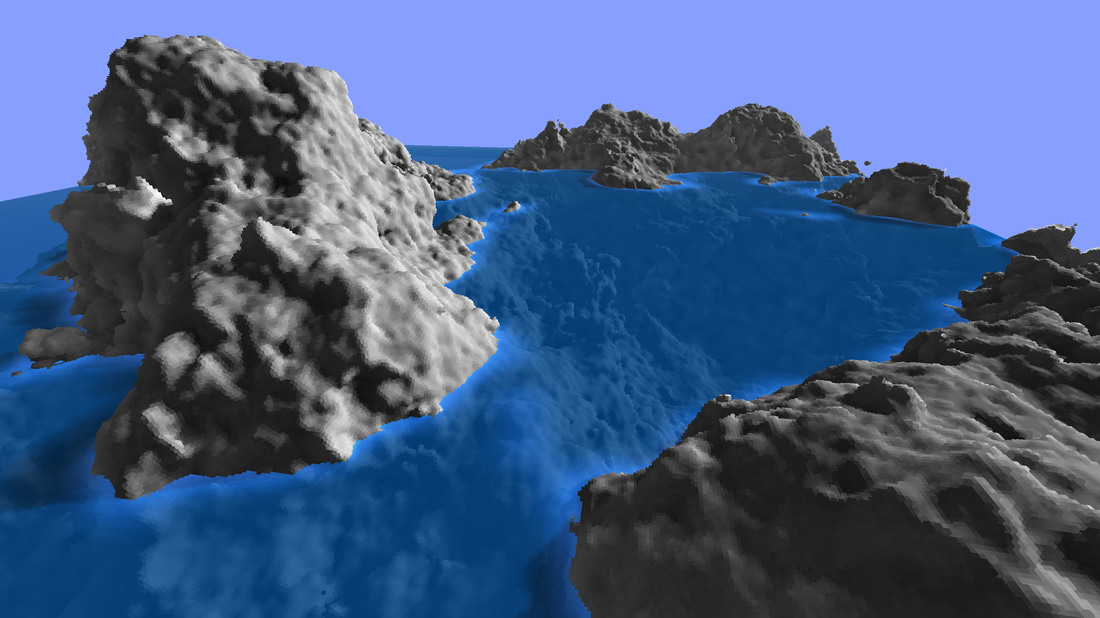 |
Interesting Games, Sites, and Projects
Atomontage 0 fps Voxatron King Arthur's Gold Minecraft Dwarf Fortress Braid Mysterious Castle The Humble Indie Bundle(s) Project Zomboid Retro City Rampage Star Command Proc World Volumes of Fun Big Bad Wofl Tom Dobrowolski Ken Silverman Inigo Quilez Moving Blocks CodeFlow Merlin3D Sea of Memes Twenty Sided Twitter Me: @gavanw Facebook Me: gavanw Insult Me: (sorry, no link) |
 RSS Feed